Batch Auto-Optimize
Every video of a folder, processed one after the other while you do something else, with a ranked list of the results at the end.
Pro
Contents
- What it does
- The four steps
- 1 · Videos
- 2 · List
- 3 · What you want
- 4 · Run and results
- Automatic RGB composition
- Dark frames
- Where the files go
- Stopping and resuming
- Questions
What it does
Drop a folder of videos and Planet Engine processes them one after the other while you do something else. With a mono camera it joins the R, G and B videos of the same capture into a colour image by itself. Your videos are never changed.
The four steps
- In the main window click Batch Auto-Optimize… at the top.
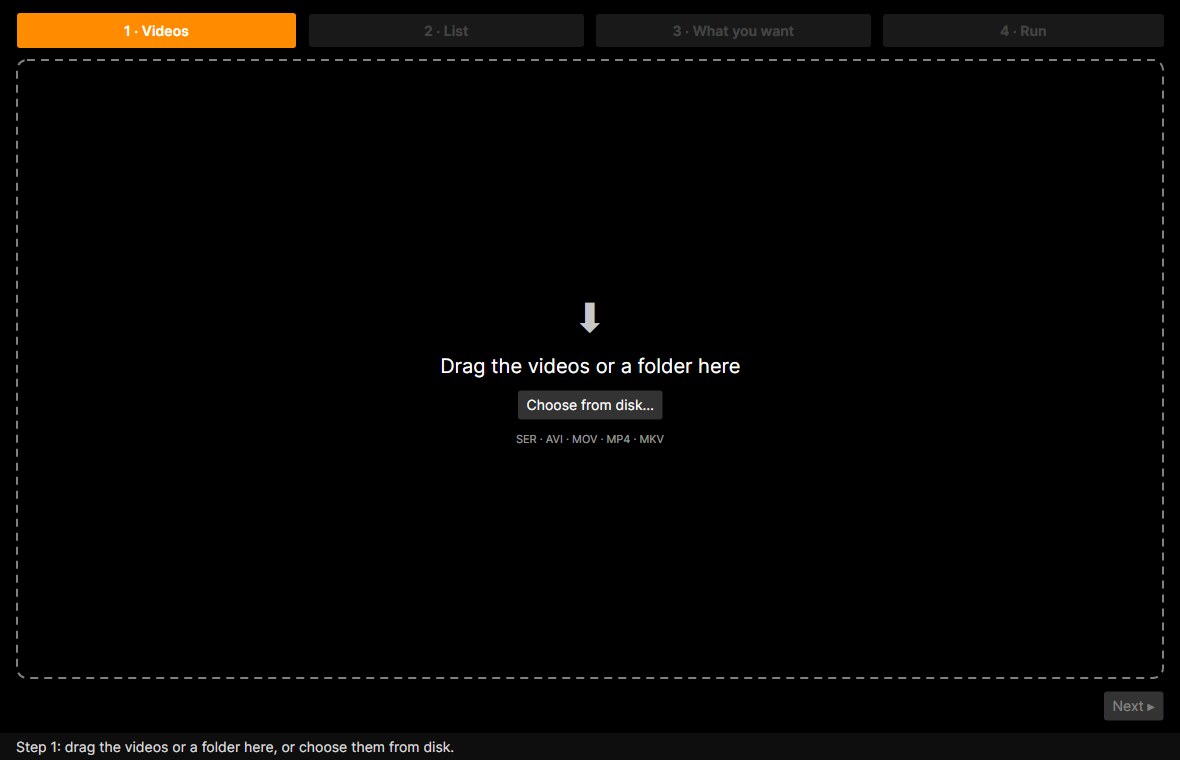
- 1 · Videos: drop the videos or a folder, or use Choose from disk….
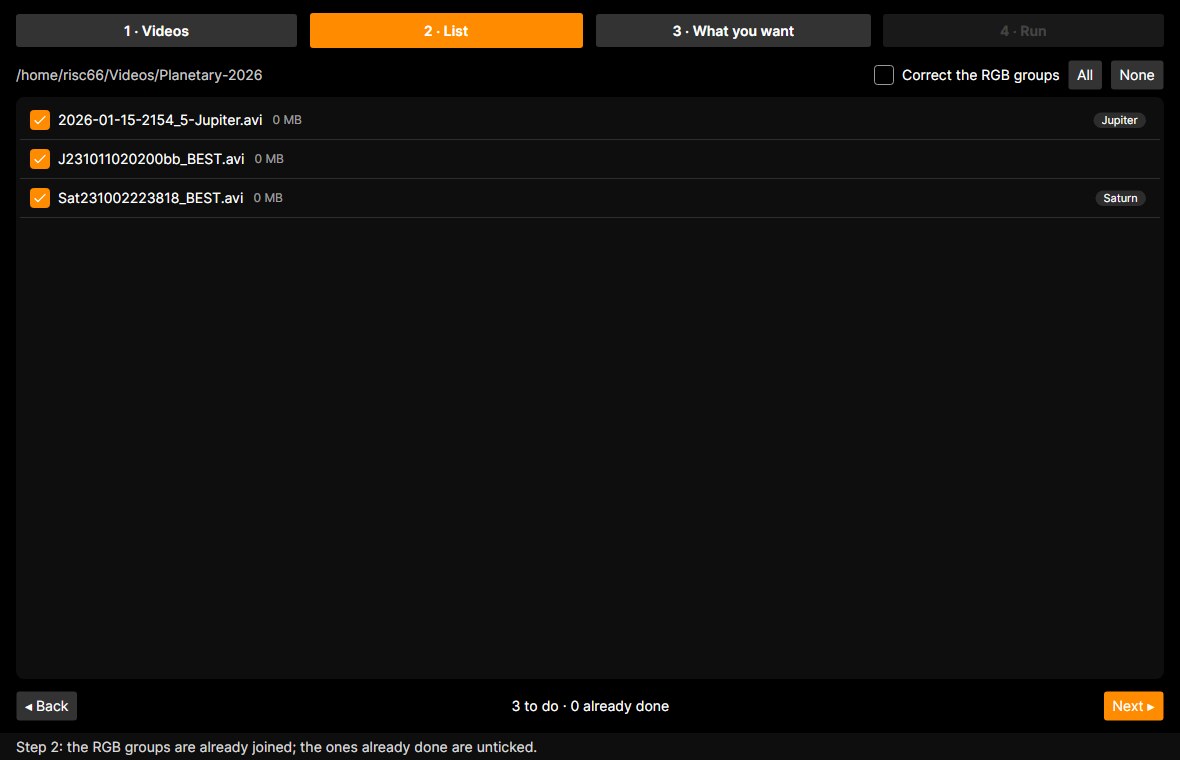
- 2 · List: check the ticks, then Next.
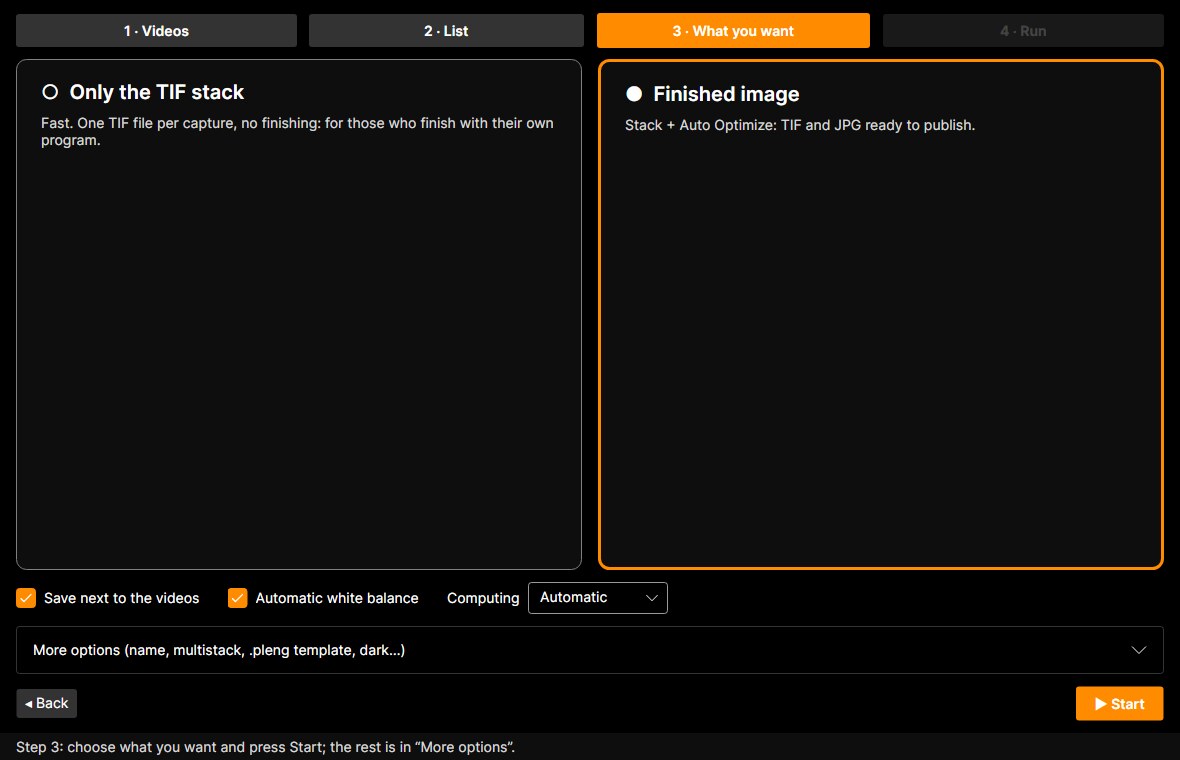
- 3 · What you want: choose Only the TIF stack or Finished image and press Start.
1 · Videos
Drop videos or a whole folder (subfolders included) on the dashed area, or use Choose from disk…. SER, AVI, MOV, MP4 and MKV are supported. If you ran batches before, Earlier batches… reopens them.
2 · List
Here are the videos found. The ticked ones are processed. R, G and B videos of the same capture are already joined in one line labelled RGB. Videos already done (in an earlier batch, or with their TIF stack already next to them) are marked done and unticked: tick them to redo them. All and None change every tick.
3 · What you want
Two big choices:
- Only the TIF stack: fast, one TIF file per capture, no finishing. For those who finish in their own software.
- Finished image: stack plus Auto Optimize, with TIF and JPG ready to share.
- Save next to the videos (on by default): the result goes in each video’s folder, named after the video, and nothing else is written there.
- Automatic white balance: when off, the channels stay exactly as they come out of the stack. Useful with a mono camera and RGB filters.
- Computing: Automatic, Processor or Graphics card.
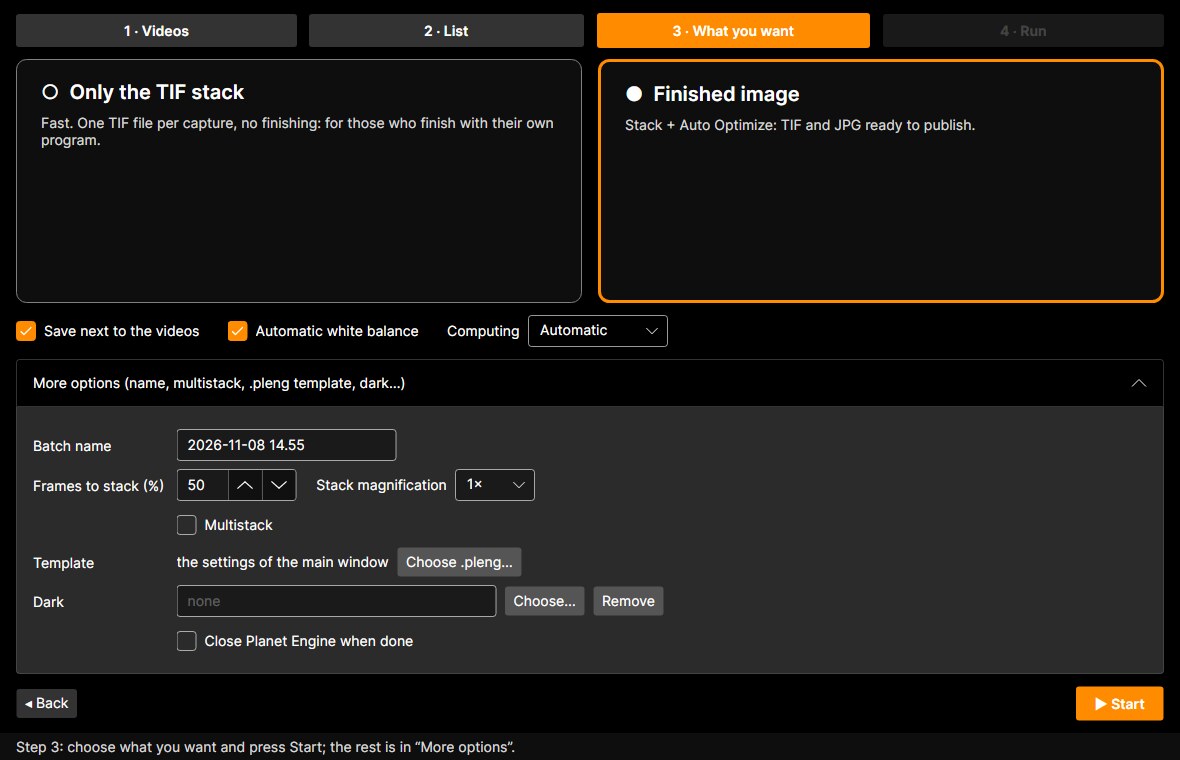
More options holds the batch name, frames to stack (%), stack magnification, Multistack, a .pleng template saved earlier (instead of the main window settings), the Dark and closing Planet Engine at the end.
4 · Run and results
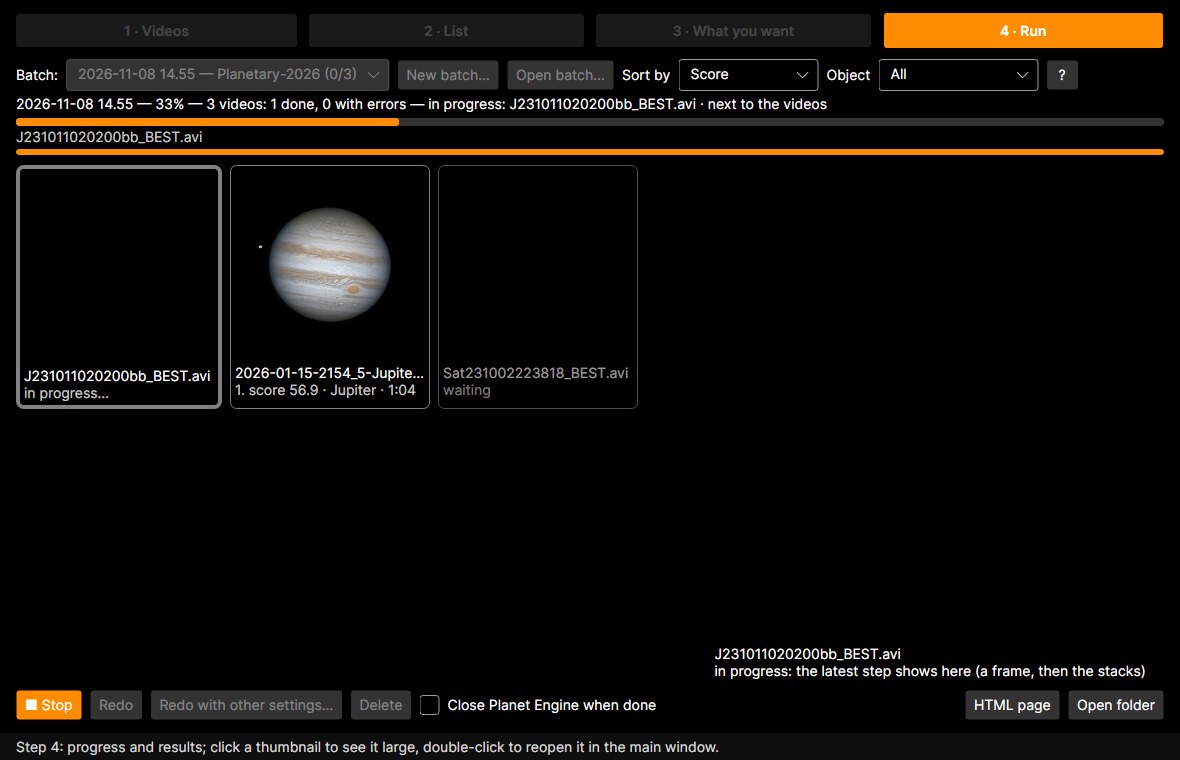
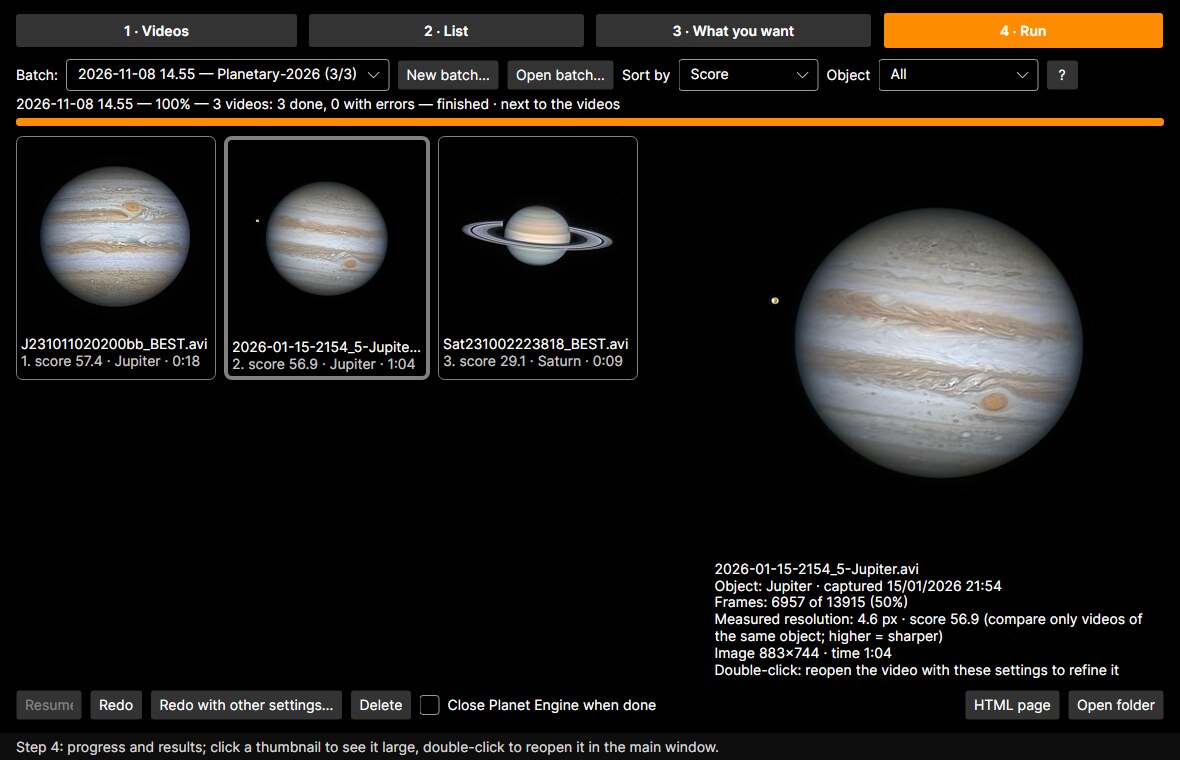
Thumbnails arrive one at a time with a progress bar. At the end they are ranked, best first. Click a thumbnail to see it large with its data; double-click to reopen the video in the main window with the same settings, to fine-tune it. Open folder opens the results folder.
Automatic RGB composition
Mono-camera videos taken through R, G and B filters (and L or IR) are recognised from their names, e.g. 2026-11-07-2035_2-CGO-R-Jup.avi, …-G-…, …-B-…: same name apart from the filter and the time, same folder, a few minutes apart. The filter can be R, G, B, L, IR or Red/Green/Blue (also in Italian, French, German, Spanish and Portuguese). Each set becomes one line and one result, named after the green video with RGB in place of the filter. If a set is wrong, tick Correct the RGB groups in step 2.
Dark frames
A dark frame removes hot pixels and the sensor’s fixed pattern. Record a short video (100-200 frames) with the telescope covered, with the same camera, exposure, gain and ROI size as your videos. Then pick it in More options › Dark: Planet Engine averages it into a master dark and subtracts it from every frame before stacking. A video of a different size is done without the dark, and the reason is written in the log.
Where the files go
- With Save next to the videos: NAME_stack.tif (and with Finished image also NAME_finale.jpg) in each video’s folder. For an RGB set the name has RGB in place of the filter, e.g. 2026-11-07-2035_2-CGO-RGB-Jup_stack.tif.
- Without it: everything in a PlanetEngine-batch folder next to the videos.
- The batch log and thumbnails are kept in a separate work folder, so you can reopen the batch any time.
Stopping and resuming
- Stop interrupts the current video; Resume carries on from there.
- If you close Planet Engine or the PC restarts, the batch resumes by itself next time; finished videos stay finished.
- Redo redoes the whole batch; Redo with other settings… reopens the steps with its settings to change.
Questions
Questions and ideas
Results, questions and ideas about the batch are welcome on Discord.
Join the Planet Engine DiscordFor a bug or an idea, start the message with Bug: or Request:.
renato.tarabella@gmail.com